
GPT Image 2 + Seedance 2.0 Feels Like an Automated Animation Pipeline
A hands-on read on the GPT Image 2 + Seedance 2.0 workflow: what it really does, where consistency breaks, and which projects it actually fits — with real r/seedance2pro feedback.
"It honestly feels like the beginning of a fully automated animation pipeline." That's how one creator, u/DataGirlTraining, described pairing GPT Image 2 with Seedance 2.0 in a r/seedance2pro thread that hit 253 upvotes in a day. The demo — a character built in GPT Image 2, animated in Seedance — is genuinely impressive.
The word doing the heavy lifting in that sentence is feels. This piece pulls apart the gap between what the GPT Image 2 + Seedance 2.0 pipeline feels like and what it actually delivers today, using the real reactions from that thread rather than the highlight reel.
The capsule clip from the thread, built end to end with the two-model stack (source: r/seedance2pro).
What the workflow actually is
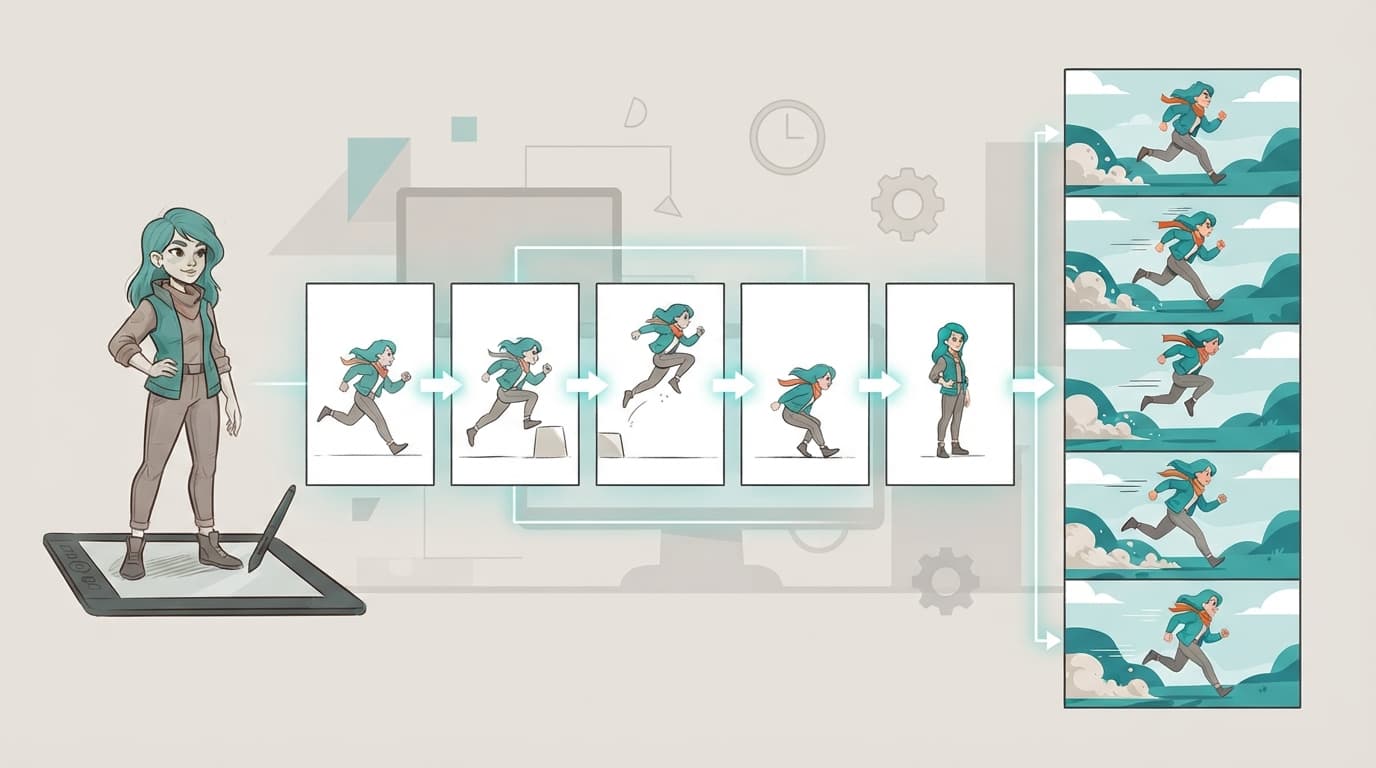
It isn't one AI video generator. It's a two-part pipeline where each model does the half it's good at.
GPT Image 2 is the visual planning layer. It's strong at consistent characters across related images and multi-panel layouts, so it can produce a character sheet, storyboard frames, and reference stills that share the same lighting and proportions. That consistency is the whole reason it's useful here — it gives Seedance something coherent to animate from.
Seedance 2.0 is the motion layer. ByteDance built it around multimodal reference understanding: it takes up to 12 reference inputs (images, audio, style) in a single generation, runs first-and-last-frame or multi-reference image-to-video, and does joint audio-video generation. You hand it a GPT Image 2 frame plus a short motion prompt, and it returns a clip.
The key word across both is direction, not obedience. GPT Image 2 suggests a look; Seedance interprets it. Neither guarantees the frame you designed is the frame that moves. That's the seam the whole workflow lives or dies on.
Why the demos feel so convincing
The pipeline sells itself on speed. Before it, going from idea to a moving scene meant concept art, character design, storyboarding, blocking, and rendering — separate skills, often separate people. Now one person can sketch a convincing version of that idea in an afternoon.
That's real, and it's why the r/seedance2pro clip landed. A short sequence stops looking like disconnected AI slop and starts reading like a rough animated short. As u/DataGirlTraining put it, even with minimal editing it "starts resembling a real animated short instead of random disconnected clips."
But a fast prototype is not a finished film, and the thread is blunt about the difference.
Where it breaks: control, not visuals
The single most repeated complaint isn't image quality — it's that the motion ignores your plan. Seedance treats your carefully designed storyboard frames as loose hints:
"These GPT-Image 2 storyboards are rarely being followed by Seedance 2.0. Just compare each storyboard frame with the actual generated footage… it is nothing alike." — u/damiangorlami in r/seedance2pro
Put more than one subject in a defined space and the space stops holding still:
"If you don't have specific locations, it's wonderful. But using this workflow with 3 characters in a room, and they and the furniture move to random spots." — u/rosneft_perot in r/seedance2pro
The problem starts upstream, too. u/gskrypka found that generating a full character sheet in one shot is "pretty unreliable, small inconsistencies" — and those inconsistencies compound at every later stage. And the caveat worth more than any hype quote came from u/Albertkinng, a working illustrator and animator who tried the exact stack: "despite claims that the process is easy, my experience has shown otherwise."
A single shot can look stunning. A scene needs cause and effect, consistent blocking, objects that stay put. That's the gap between "AI video looks amazing" and "AI video is controllable," and it's where this pipeline currently sits.
What it's genuinely good for
The honest framing isn't "it works" or "it's junk." It's a fit question. Here's where the workflow earns its place — and where it wastes your time.
| Fit | Use cases |
|---|---|
| Strong | Visual prototyping, concept trailers, animatics, style and character exploration, social-media test clips, pitch visuals |
| Medium | Short branded clips, music-video concepts, narrative scene tests — anything you'll clean up in post |
| Weak | Finished long-form animation, consistent multi-character acting, precise object interaction, anything needing exact continuity without manual editing |
Notice what the r/seedance2pro comments are actually asking once the wow fades: "What platform do you access Seedance on?", "How do you upload the storyboard?", "Can Seedance follow a storyboard reference directly?" Those aren't newbie questions — they're production questions. People want repeatable control, not impressive randomness. That demand is the tell: the market has moved from "is this cool" to "can I rely on it," and the pipeline is strongest exactly where reliability matters least — early, exploratory, throwaway work.
How to get more out of it
You can't fully solve consistency from the prompt side yet, but you can stack the odds:
- Design one character at a time on a plain background, then composite. Group shots are where drift starts.
- Keep every shot to one or two subjects in a simple location. Sparse scenes survive animation; crowded rooms don't.
- Animate short. Frame adherence decays over duration, so shorter clips stay closer to your reference.
- Generate several takes per shot and cut the one that matches — treat the storyboard as a target, not a contract.
- Feed simpler references, not one overloaded board. Seedance handles a clean single reference better than a busy multi-panel dump.
None of this makes the pipeline automatic. It makes it directable, which for a solo creator is already a large shift.
Running the animation half without the tool-shuffle
Most of the friction here is logistical: bouncing a character sheet out of an image tool and into a separate video tool, re-uploading references for every shot. Running the motion step in one place removes that. You can drive Seedance 2.0 directly with the image-to-video generator — upload your GPT Image 2 frame, write the motion prompt, render — or start from text in the text-to-video studio when you don't have a frame yet.
One honest caveat: a hosted studio removes the tooling friction, not the model's consistency limits. Storyboard drift and spatial wander are Seedance 2.0's current ceiling, and a nicer interface doesn't change that. It's also worth knowing Seedance 2.0 has drawn copyright and likeness scrutiny, so for commercial work, stick to your own characters and concepts rather than copyrighted worlds. If you want to test where the workflow's limits actually bite before committing to a project, per-clip pricing is on the plans page.
The honest bottom line
The GPT Image 2 + Seedance 2.0 pipeline is the most convincing "idea to moving scene" workflow available to solo creators right now — and it deserves the attention. But "feels like an automated animation pipeline" is the accurate phrasing, not "is one." It's a visual prototyping and animatic tool wearing a production-tool costume: the motion is remarkable, the control isn't there yet.
Used where it fits — exploring tone, pitching a concept, seeing a scene on its feet before you commit real hours — it's genuinely powerful. Used to mass-produce finished, consistent animation, it turns frustrating fast. The smartest creators in that thread already know the difference: they're treating it as a new layer in the process, not a replacement for direction. Point your first frame at the image-to-video generator and start with a single simple shot — that's where you'll see both the magic and the ceiling.
More Posts
How to Get Consistent Voice in Seedance 2.0 Across Multiple Clips
Yes, Seedance 2.0 accepts voice references. Here's how audio reference input works, what it does and doesn't do for voice consistency, and the practical workflow for keeping the same character voice across clips.


Top 10 AI Video Generators in 2026 (Including Seedance 2.0), Ranked and Tested
We tested every major AI video generator in 2026. Here are the 10 best, ranked by output quality, features, pricing, and real production value.

Make Seedance 2.0 music videos that hit on the beat
Make Seedance 2.0 music videos that actually hit on the beat: @audio1 syntax, lip-sync narrative, multi-clip stitching, prompt patterns by genre, audio prep.