
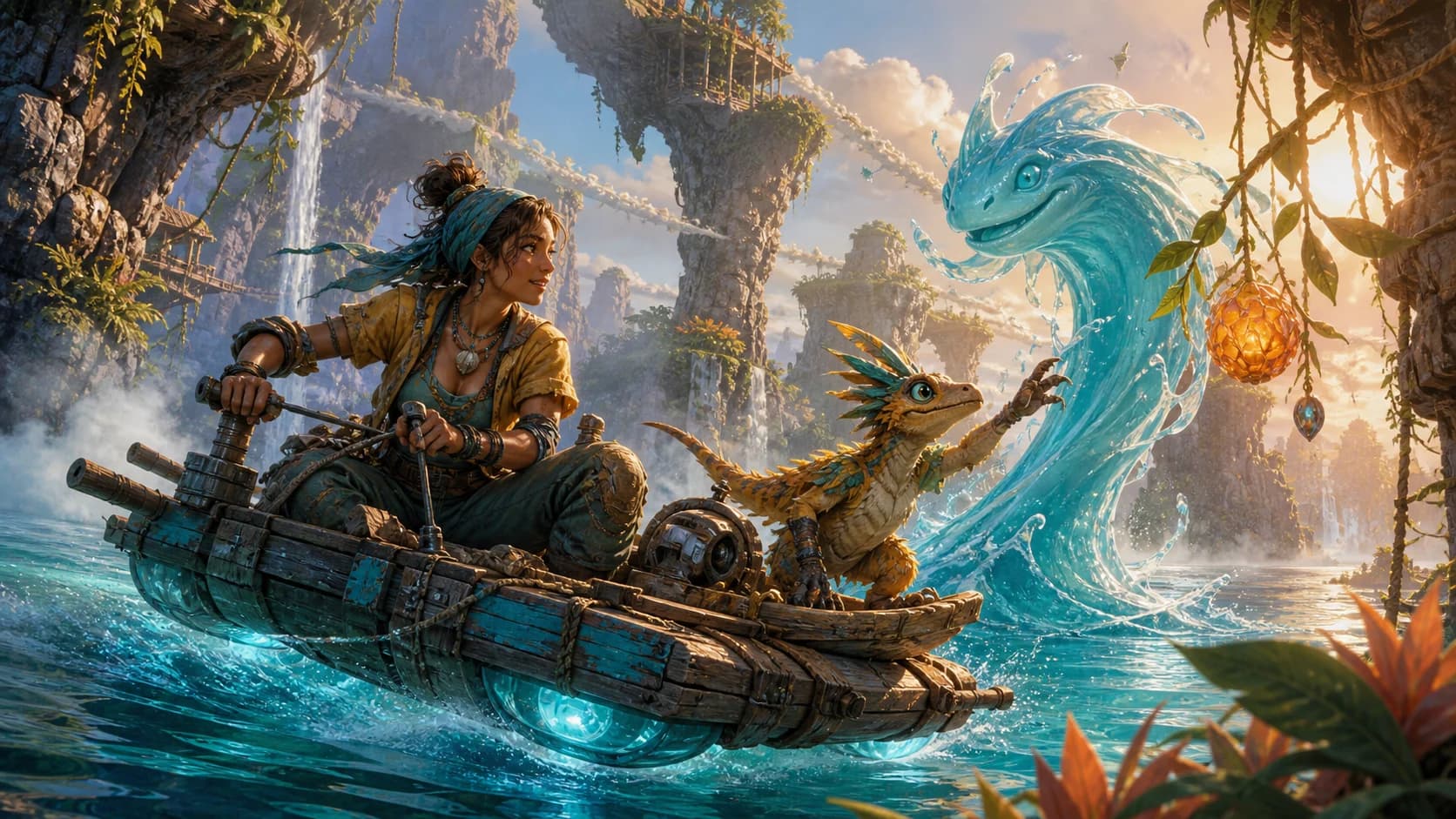
How to Create a Full Fantasy Adventure Animation with GPT Image 2 + Seedance 2.0? Prompt Below!
Learn an eight-panel GPT Image 2 and Seedance 2.0 workflow with a reusable prompt framework, continuity checks, verified video differences, and six FAQs.
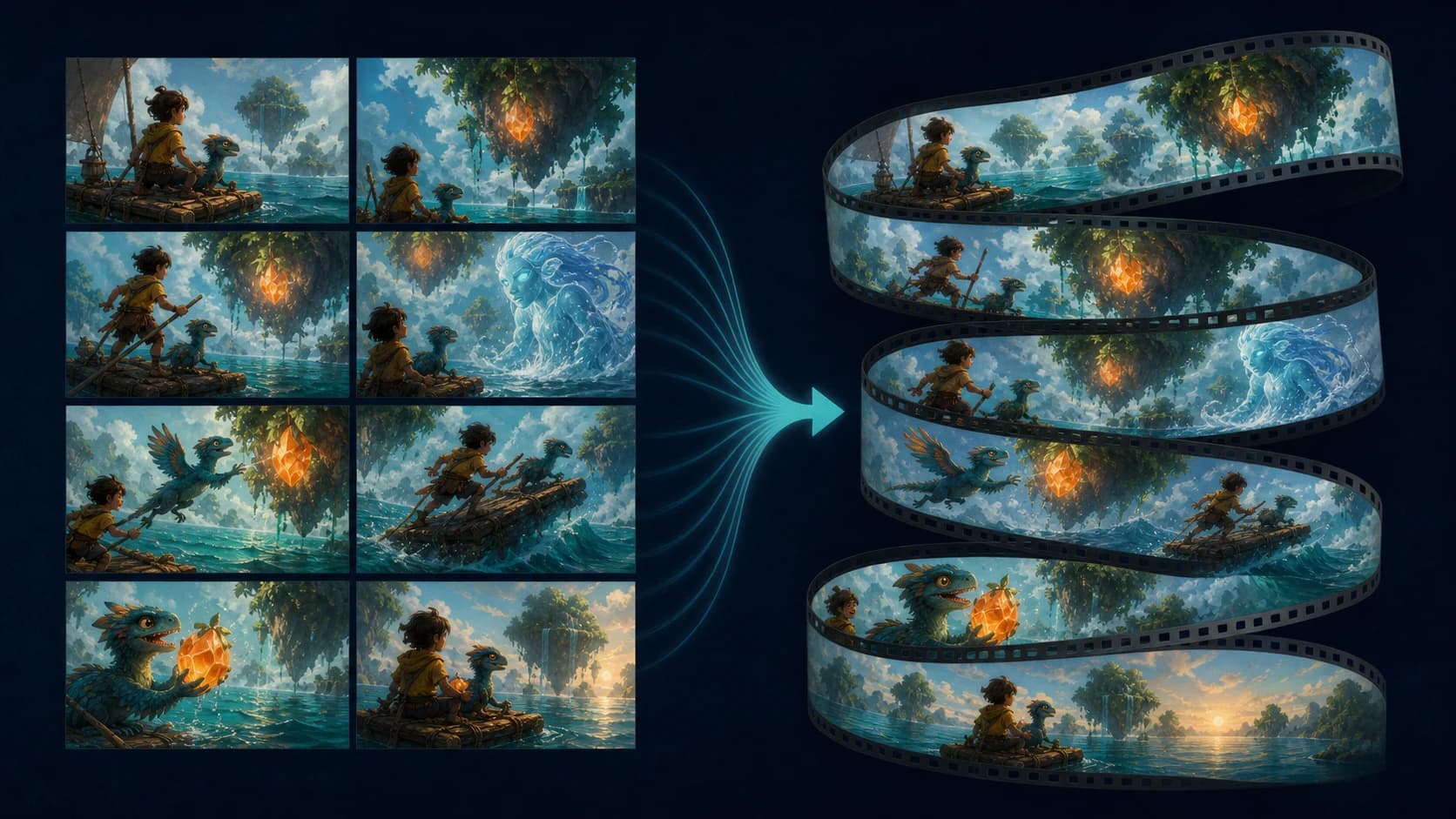
A good fantasy animation prompt begins with visible decisions: who wants what, what interrupts them, where each object goes, and what must survive into the next shot. An eight-panel storyboard gives GPT Image 2 a planning job and Seedance 2.0 an ordered set of visual anchors.
The source demonstration uses Kaia, a bird-like companion, a crystal fruit, a wooden raft, and a water spirit moving through eight escalating beats. It looks coherent at story speed, but frame-by-frame review reveals where storyboard adherence differs from true continuity.
TL;DR
- Build the story as eight cause-and-effect beats before writing the video prompt.
- Give every recurring character and prop one name, one design description, and one required state.
- Use the storyboard to control beat continuity: the order of setup, disruption, pursuit, reversal, and payoff.
- Check spatiotemporal continuity separately: position, direction, object ownership, character count, and cause must carry across shots.
- Describe slow-motion as a visual action, not as an assumed output frame rate; the inspected demo is encoded at 30fps, not 120fps.
- Remove prompt contradictions. “Complete silence” and “the character screams” cannot both be literal instructions for the same moment.
What this GPT Image 2 and Seedance 2.0 workflow actually does
GPT Image 2 is the planning layer. Use it to produce a storyboard sheet with recurring designs, readable silhouettes, a palette, and eight story states. OpenAI describes the model as supporting image generation, editing, and image inputs and outputs.[2]
Seedance 2.0 is the interpretation layer. ByteDance says it accepts text, image, audio, and video references and can directly reference storyboards.[1] The board is not a locked timeline: the model still invents poses, transitions, object paths, and some audio details.
Use reference-to-video for a multi-asset board, or image-to-video after reducing a shot to one visual anchor.
The supplied video file confirms the distinction. It runs 14.30 seconds, with a 14.233-second H.264 video track at 1080×1330 and 30fps. All 427 frames decode cleanly, yet most transitions reinterpret rather than reproduce the panels.
Build an eight-panel fantasy adventure workflow
Start with a continuity card. Record the character count, canonical names, costume colors, important props, travel direction, time of day, and the hero object's initial and final state.
Next, assign one narrative function to each panel:
| Panel | Narrative job | State that must pass forward |
|---|---|---|
| 1 | Establish the hero, goal, world, and prized object | Hero owns the object; threat is approaching |
| 2 | Interrupt the goal with one clear impact | Object leaves the hero; vehicle becomes unstable |
| 3 | Turn the accident into a pursuit | Direction of travel and object path remain readable |
| 4 | Reveal the larger magical force | Hero, companion, and threat share one location |
| 5 | Reverse control with a major physical event | Everyone is displaced by the same cause |
| 6 | Move the action into a contrasting environment | The lost object remains the target |
| 7 | Create a false resolution | Hero recovers the object; danger is visible ahead |
| 8 | Deliver the visual payoff and define the end state | Specify what survives, breaks, escapes, or disappears |
Generate the board as one ordered sheet, then inspect every panel at full size. If the creature is a parrot in the legend but a lizard-bird in the prompt, choose one term and relabel the sheet. Small naming conflicts become motion conflicts later.
Make every handoff plausible. If one panel cannot lead physically into the next, add a bridge action or simplify the staging. Eight attractive illustrations are not automatically eight connected shots.
Use an original prompt framework instead of copying a long prompt
Use a production template that defines each reference, the immutable facts, beat order, and conflict rules. Replace the brackets below with your own story details:
REFERENCE ROLES
@Board is an ordered eight-beat plan, read left to right and top to bottom.
@Hero defines the protagonist's face, proportions, clothing, and color design.
@Props defines the vehicle and the story object.

INVARIANTS
Keep exactly [character count] recurring characters.
Use the same canonical names in every beat: [names].
Preserve [costume], [prop state], [travel direction], and [environment rules].
Do not introduce additional copies of a character, creature, or hero object.

BEAT MAP
1. Establish [goal] in [wide/medium/close] framing.
2. [Disrupting action] changes the object's state from [A] to [B].
3. The hero pursues it while moving consistently [screen direction].
4. Reveal [new force] without relocating the hero between frames.
5. One physical cause sends all subjects into [new state].
6. Continue the same trajectories in [contrasting environment].
7. Let the hero recover [object], while [next danger] is already visible.
8. Pay off that danger and finish with [precise final state].

CAMERA AND MOTION
Use one readable camera idea per beat. Favor clear silhouettes over rapid coverage.
For suspended motion, show reduced body speed, drifting particles, and longer hang time.

AUDIO
Dialogue: [exact lines assigned to exact beats].
Ambience and effects: [list].
Music policy: [none / continuous bed / editorial music added later].

CONFLICT RULE
If a style request conflicts with character count, object state, geography, or the final
composition, preserve continuity first. End on the specified final state.
The image already carries color and design. Spend the text budget on order, causality, and constraints the image cannot express.
Beat continuity is not true spatiotemporal continuity
Beat continuity means the audience can recognize the planned sequence. In the demo, the crystal fruit is found, knocked away, chased, carried into a water-spirit encounter, sent airborne, pursued underwater, recovered, and taken through the stone arch. That broad chain survives, so the clip reads as one miniature adventure.
Spatiotemporal continuity asks whether the next frame follows without a teleport, duplication, or reset. It tracks direction, position, velocity, object ownership, damage, and elapsed time. The demo is less consistent here.
The actual animation hard-cuts around 2.90 seconds, then moves through most later beats by generated transitions before cutting to black around 13.97 seconds. During the chase, Kaia moves across floating stones, yet the next magical reveal places her back on the raft without a clear return action. The water spirit briefly reads as more than one smiling face. In the finale, a pink explosion appears behind the raft, but the crystal fruit remains visible in Kaia's hands, so the requested destruction does not become the final object state.
The board still controls narrative order, recurring identities, palette, and escalation. Geography and state propagation need a separate review.
Continuity troubleshooting based on the verified video
| Problem | What happened in the example | Better instruction or workflow |
|---|---|---|
| Creature identity drifts | The board says “PARROT,” while the written concept calls it a lizard-bird | Pick one canonical species name and use it in the board, legend, prompt, and asset filename |
| Character appears to teleport | The stone-platform chase returns to the raft without a visible bridge | End one beat by jumping toward the raft, or add a closer bridge panel |
| One entity becomes several | Multiple water faces appear during the reveal | State “exactly one water spirit” and keep its silhouette separated from splashes |
| Destruction is ambiguous | A burst occurs, but the crystal remains intact | Define the post-action state: fragments, empty hands, changed color, or removed object |
| Slow-motion specification is misleading | The prompt requested 120fps; the delivered file is 30fps | Describe hang time and particle behavior, then create true high-frame-rate slow motion in post if required |
| Audio direction conflicts | The final beat asks for silence and a scream; the delivered audio continues | Choose silence with a visible scream, or audible screaming with no silence claim |
| Runtime lands short | The plan says 15 seconds; the file is 14.30 seconds | Leave editorial padding and treat timestamps as pacing targets, not a frame-accurate edit list |
Review the final frame before accepting a take. Earlier beats do not rescue a payoff with the wrong object state. When the ending matters most, work backward from it.
FAQ
Should I upload one storyboard sheet or eight separate images?
Use one numbered sheet for beat order. Add separate character or prop references when small details matter, but never let them contradict the sheet.
Can an eight-panel prompt guarantee character continuity?
No. It improves the odds by reducing ambiguity, but the model still synthesizes every intermediate frame. Review face, costume, subject count, prop ownership, and final state in each generated take.
Why was the “15-second” example only 14.30 seconds?
Prompt timestamps communicate pacing, not a guaranteed delivery length. Generation and platform packaging can land slightly short, so reserve room for a held frame, title card, or editorial trim.
Does writing “120fps slow motion” create a 120fps file?
Not necessarily. The inspected example is encoded at 30fps. Ask for the visual cues of slow motion, then verify the delivered frame rate and use interpolation or a higher-frame-rate workflow if technically required.
How do I extend this method into a longer fantasy film?
Generate short, reviewed sections. Carry the actual last frame, continuity card, current object states, and screen direction into the next section. A longer film is a chain of approved handoffs, not one larger prompt.
Should dialogue be written inside each storyboard panel?
It can help align speech with beats. Keep lines short, assign each to one time window, and remove audio instructions that contradict the dialogue.
Conclusion
The strongest part of this GPT Image 2 and Seedance 2.0 workflow is not a secret block of wording. It is the eight-panel decision process: define the state, change it visibly, and pass the result forward. Use the board to secure beat continuity, then audit space, time, object state, and audio as separate production concerns. That is how a colorful AI clip becomes a directable fantasy sequence rather than eight attractive moments joined by guesswork.
References
[1] ByteDance Seed Team, “Seedance 2.0 Official Launch”, February 12, 2026.
[2] OpenAI, “GPT Image 2 Model”, accessed August 5, 2026.
Author

Categories
More Posts

Seedance 2.0 camera movement prompts: the complete guide to cinematic AI video
Master camera movement prompts for Seedance 2.0 and other AI video generators. A three-tier system covering basic movements, emotional modifiers, and advanced combinations.

Seedance 4K: What Actually Supports It Right Now
Seedance 4K explained with sources: which model officially supports 4K output, what runs at 4K on seedance2.so today, and when 4K is worth the credits.

How to use reference images in Seedance 2.0 for consistent AI video
A practical guide to using reference images in AI video generation. Covers character consistency, style matching, and multi-reference workflows with Seedance 2.0 and other tools.